-
Pipeline In PIM
almost 10 years ago
Pipeline In PIM
Pipeline is an interface in which involves the flow of different components in PIM. A mapping may comprise Source, Transformations , Targets connected together, all these together will be considered as a pipeline. There will be many such pipelines in a single mapping .
In PIM Media Manager, one pipeline can be Linked to another pipeline that will form as a single pipeline.
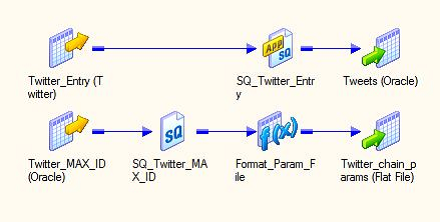
Source: Description of Pipeline
Pipeline in PIM is an Automated interface that allows to Perform Various functions. Following Example can be Automated using Pipeline.
- Converting a file into different format.
- Processing of Action Basket
- Restoration of Archived Data
- Form image conversions for media buy orders and compact them
- Make images with multiple file type extensions
Creating Pipeline
In order to Create a Pipeline perform the following Steps (here these are steps for Media Assets conversions using Pipeline :
- Click on Pipeline → Pipeline Management
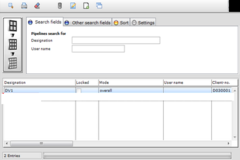
- This will Open The Pipeline Overview List
- Provide the Designation Name
- Choose whether the File Type Extension should Be Added or not.
- Provide the Extension if you have Chosen
- Assign this to Client.
- Now Move to “Wizard” tab
- Select to Create New Step.
- Switch the Mode by selecting User defined Conversion
- Provide the conversion command which should be used for Converting the Image.
- Give the Extension of file in Extension 1 and the Path to the funcd tools folder.
- Click to Confirm
- Click On Save
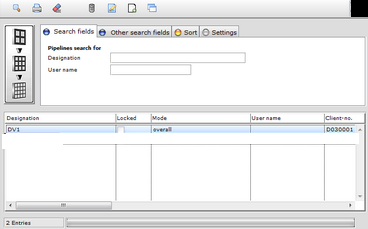
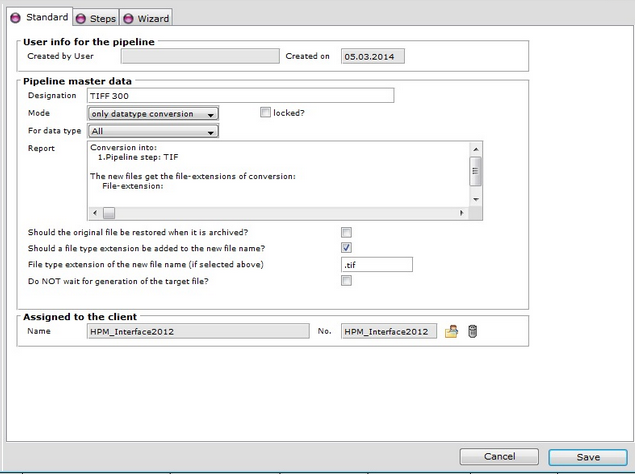
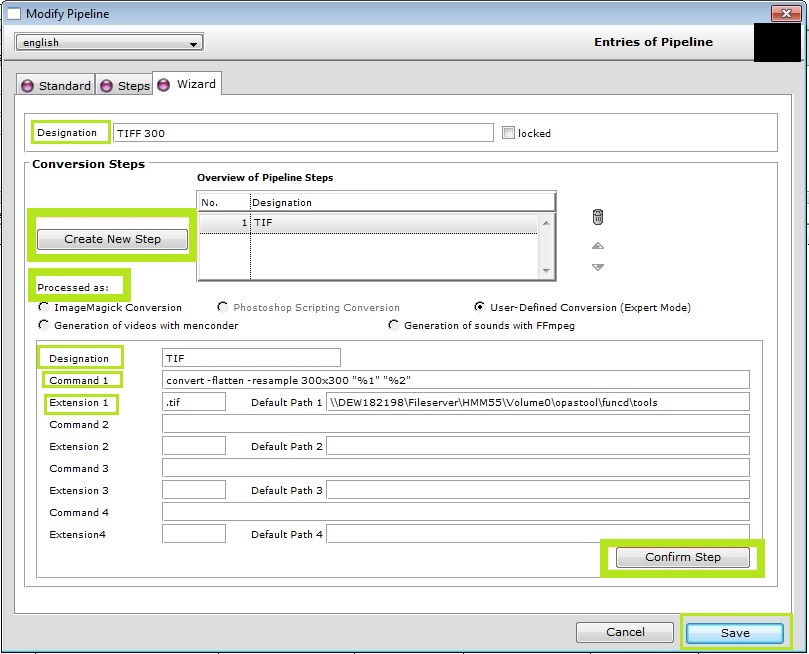
Source : https://kb.informatica.com/howto/6/Pages/17/323215.aspx (Google Search Image)
Using these Steps we can define Pipeline for the Conversion of Images, Files, or Videos. And the Detail View Can be Seen in Web Clients of PIM.
Thanks for Reading the Blog...


 "Click to preview")
 "Click to preview")
 "Click to preview")
 "Click to preview")

0 Comment(s)