This blog is part of 1 Tute Sets.
Google Spreadsheet and Excel Tutorials
Tute set by sachin.joshi
10 Blogs-
1
How to split text in Google spreadsheet or excel?
by sachin.joshi
-
2
How to Find Duplicate Values in Google Sheet or Excel?
by sachin.joshi
-
3
How to solve #NUM! error in excel?
by sachin.joshi
-
4
Hide Columns and Rows in Excel
by sachin.joshi
-
5
Keyboard Shortcuts for MS Word and MS Excel
by sachin.joshi
-
How to move data from column to row and vice versa in excel- Transpose
over 11 years ago
I have a worksheet containing data in rows and columns and I want it change or rotate the data of row to column and vice-versa, for that I have to use feature named Transpose.
Lets learn this from example
As in below image my data in Column and rows are listed like this
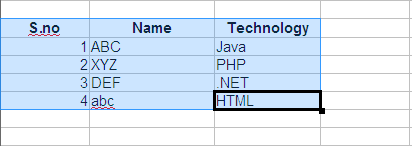
I can rotate the the columns and rows to s.no's along the top and Name and Technology along the side. as shown below:
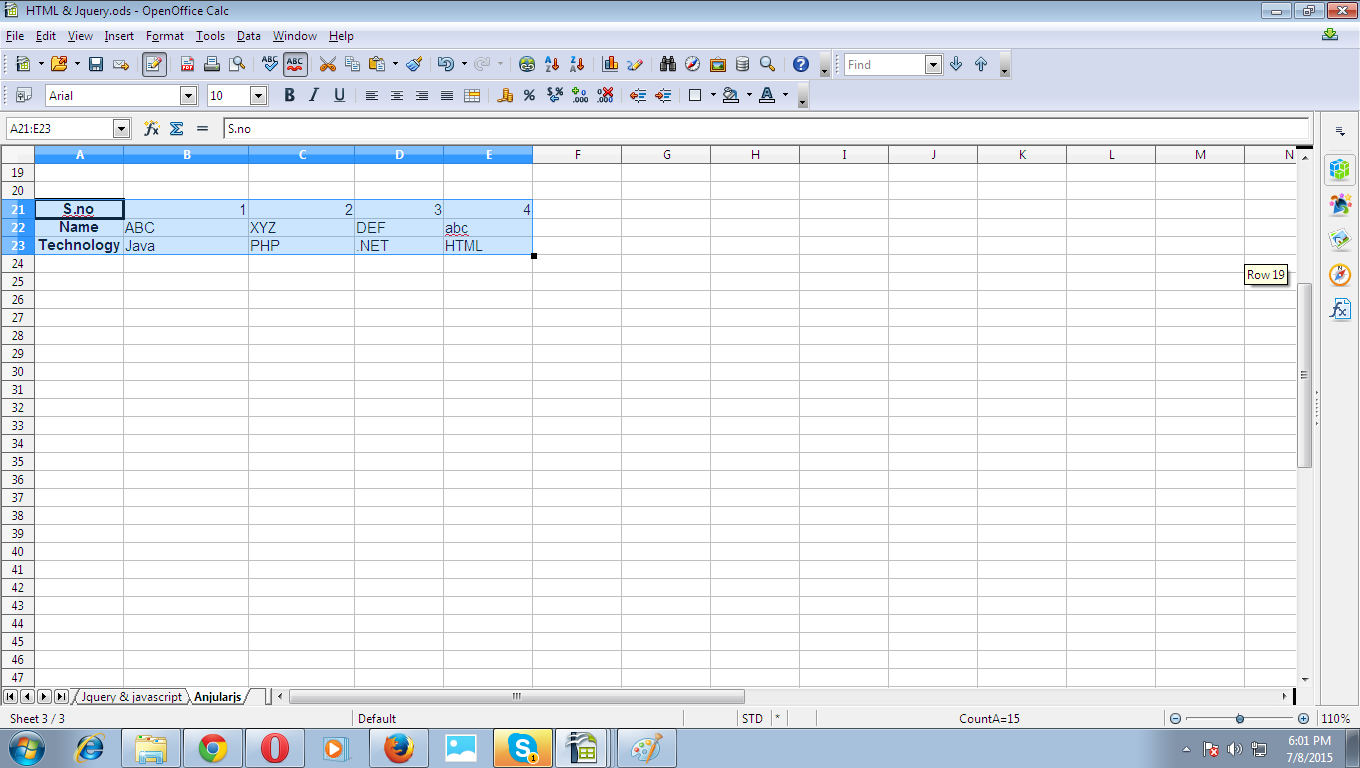
Below is the Process to apply Transpose
Select the data you want to Transpose/rearrange including all the rows and column and press ctrl+c (copy). make sure not to cut (ctrl+x) the data.
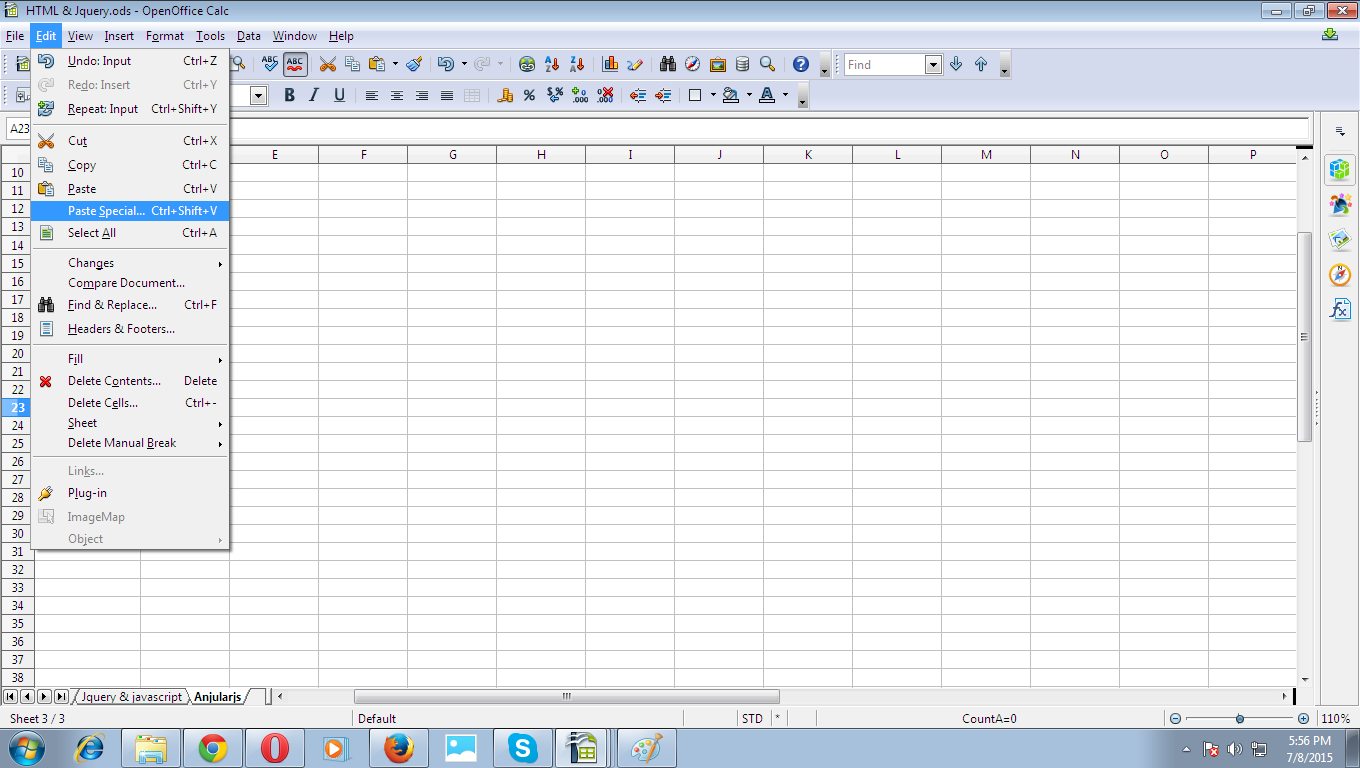
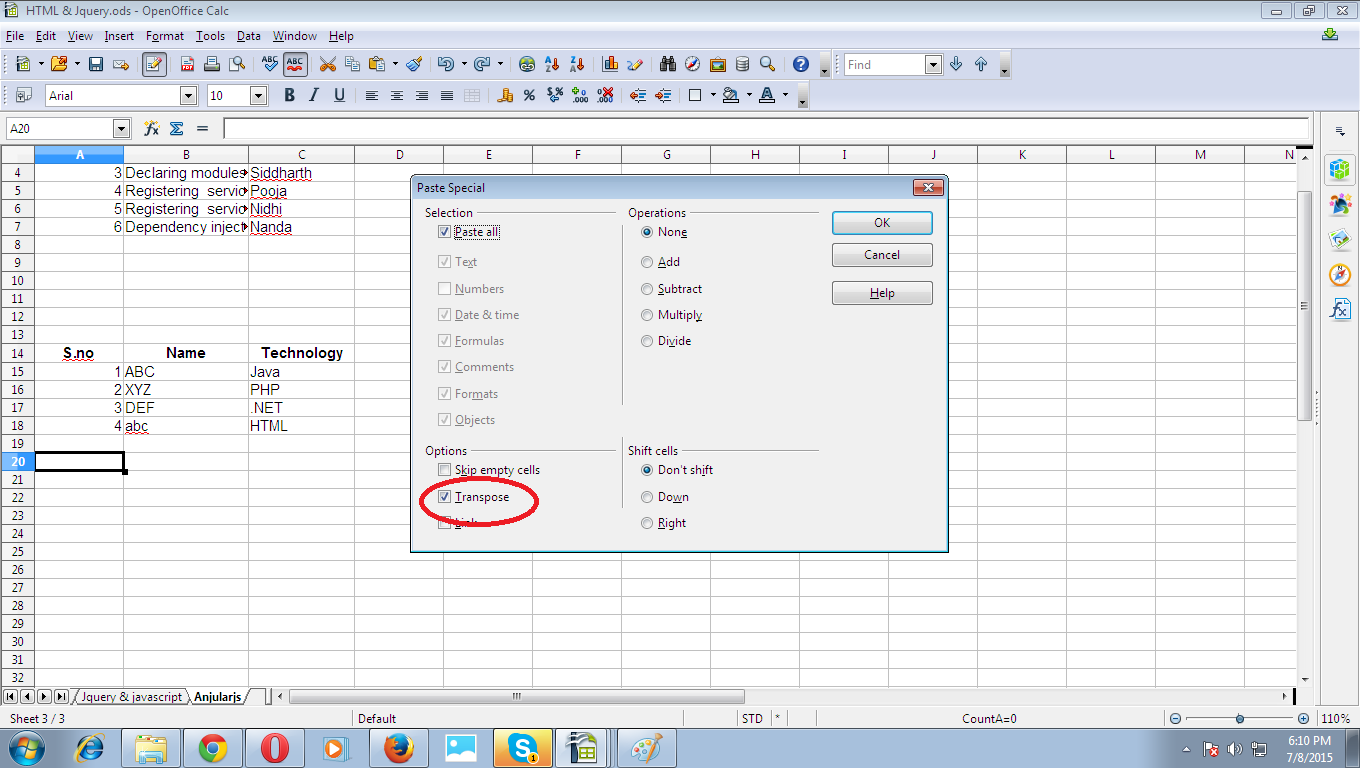
Right-click on the cell where you want to paste the data and select Transpose or if your are using open office calc or libreoffice then select Paste Special, also you can do the same by visiting edit menu from top, see the screenshot below.
For Open office cal user-
For MS Excel users-
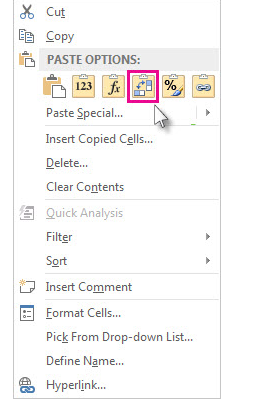
- After clicking on paste special you will find the popup on your screen in that select Transpose and it's done.


0 Comment(s)